Canadian Payroll with PayDirt Payroll – Pay History

Return
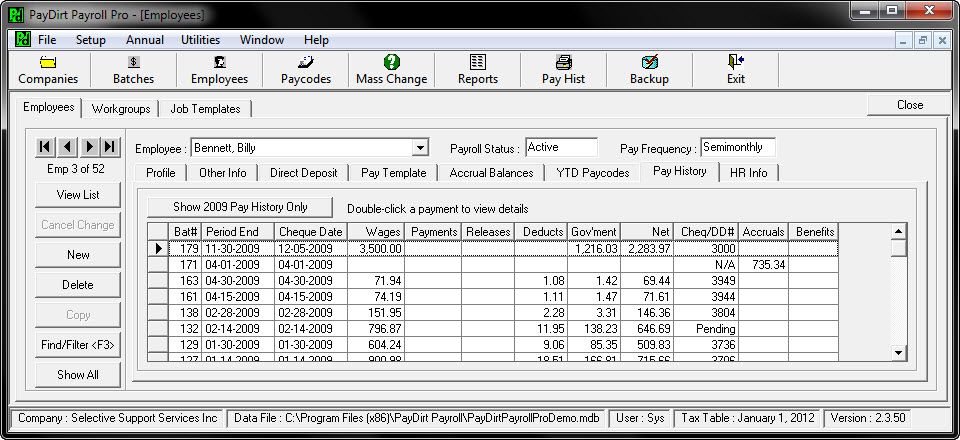
Clicking on the Pay History tab will show you all of the payroll batches that this employee was paid in during this year and provides subtotals for each category as well as the cheque number and net pay amount. Double click on any batch in the list to drill down into that employee’s actual Paycard for the batch selected and view the details. Notice the button that says “Show All Pay History”? Because PayDirt Payroll keeps all pay history from prior years you can still report on it or view it just by clicking the button.